
Make any website work your way
Describe the change you want. WebCraftAI builds it for that site, shows a live preview, and applies it every time you come back.
Add to Chrome See how it works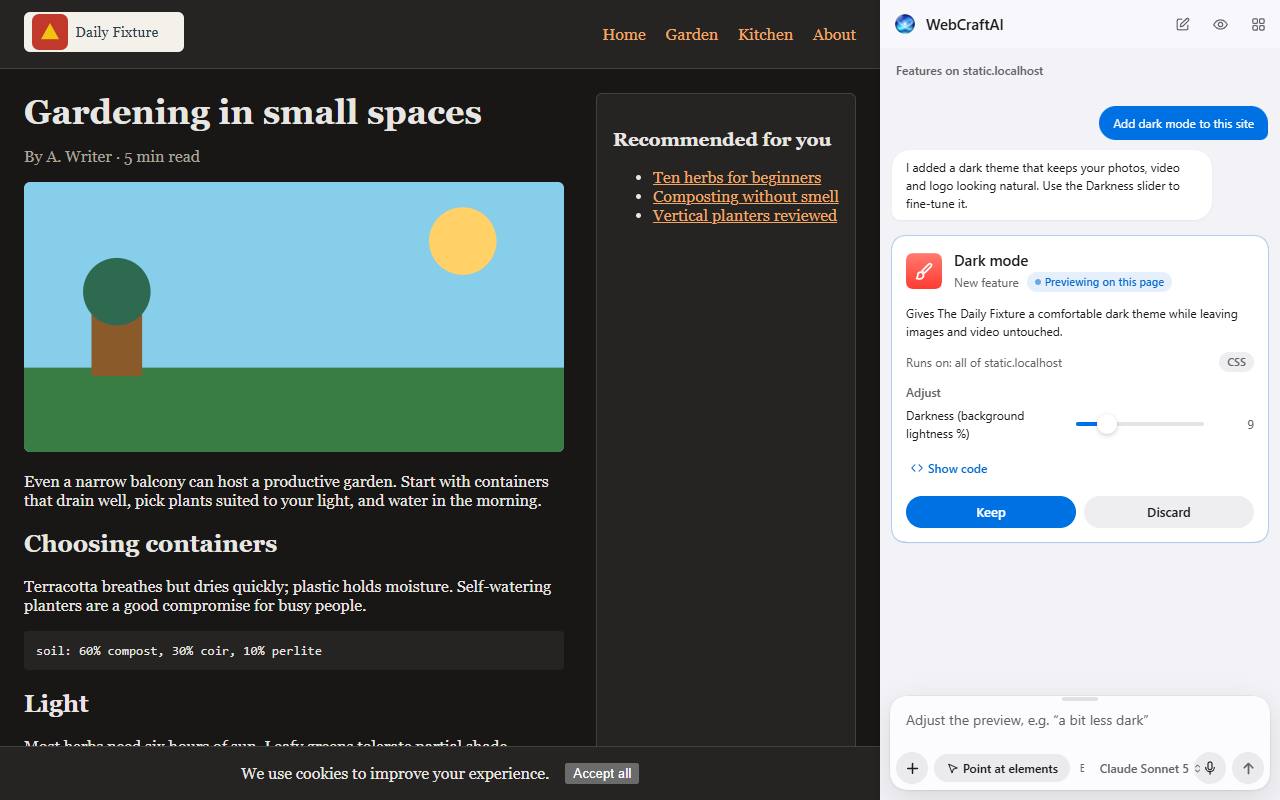
How it works
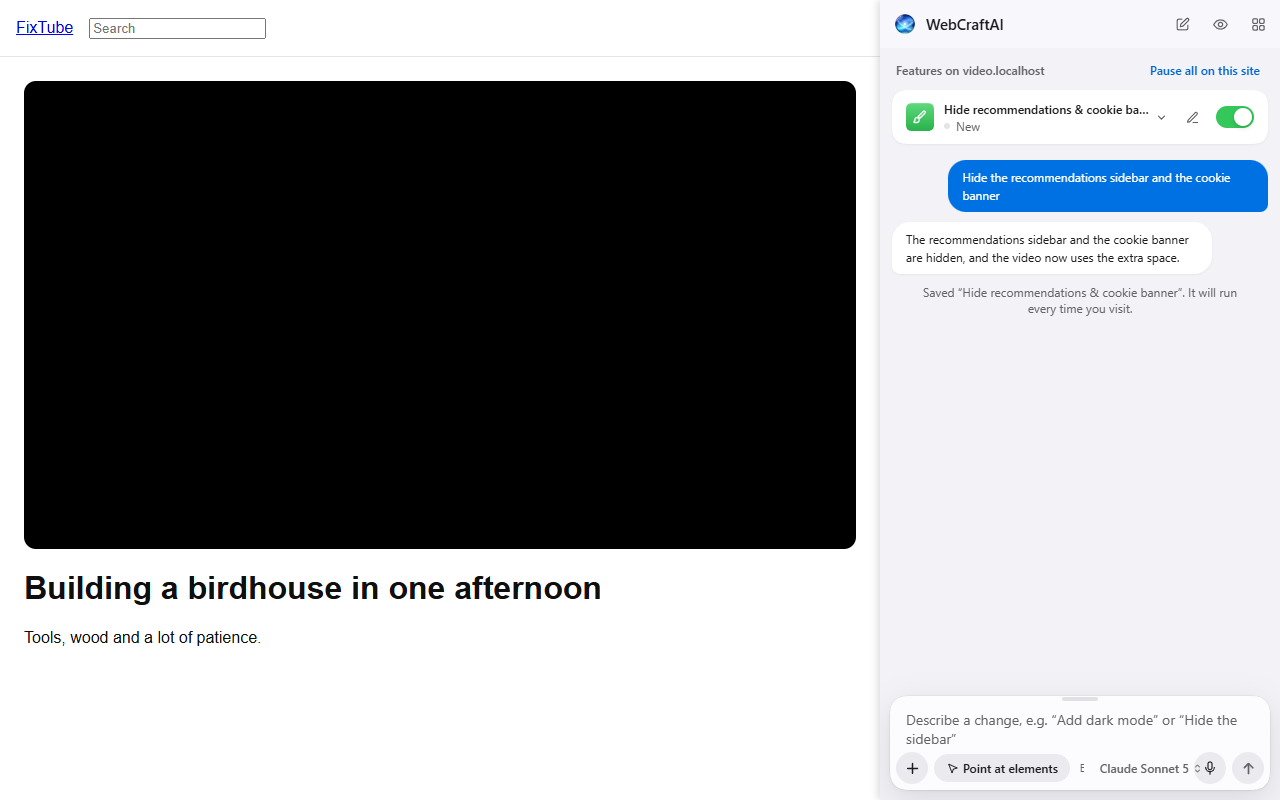
Open the side panel and say what you want: "Add dark mode", "Hide the recommendations", "J and K move between results".
See the change live on the page, with a plain-language summary and the code. Refine it in conversation, or discard it.
Click Keep and it applies on every visit. Version history, sliders and per-site off switches stay in your hands.
Highlights
Nothing is saved until you click Keep.
Pick things on the page to say exactly what you mean.
Broken features are detected and can be rebuilt in one click.
Version history with restore, code view, export and import.
Runs only on sites you allow. Banks, email and password managers are off by default.
The interface and your requests work in both languages.
WebCraftAI needs Chrome's "Allow User Scripts" setting; the extension walks you through turning it on during setup.
Privacy Policy
Last updated: 27 September 2026
WebCraftAI ("the extension") lets you customize websites by describing the change you want. To build that change, it uses an AI model. This policy explains what data is involved, when it leaves your browser, where it goes, and what control you have.
Summary
- Nothing about the pages you visit is sent anywhere unless you ask WebCraftAI to create, refine, fix or suggest a feature on that page.
- When you do, the extension sends your request plus a compact description of that one page to the WebCraftAI server, which forwards it to our AI provider and returns the result.
- Passwords, form entries and cookies are never sent. Email addresses, phone numbers, card numbers and similar identifiers are removed from page text before sending.
- The server does not store page content. It keeps usage totals per account to enforce fair limits, and counts of a few actions (opening the side panel, the plan page, a checkout) to improve the product.
- Every feature you save is published to WebCraftAI's public gallery (its name, description, category, the sites it runs on and its code) so other users can find and use it. Your requests, conversations, version history and logs stay in your browser. Features for local addresses and sensitive sites are not published.
- Your features (their settings and recent versions) are also kept in your WebCraftAI account so they appear on every Chrome you sign in to. Only you can see this copy.
1. Account information
You sign in with Google so the service can apply fair-use limits per person. The server receives your Google account's email address and a unique user ID. We do not receive your Google password, contacts or any other Google data.
2. Data sent when you ask for a feature
Only after you type or pick a request in the side panel (or click "Fix it", "Rebuild", "It didn't work" or "Suggest ideas"), the extension sends:
- Your request and the earlier messages of that conversation.
- A page outline of the current tab: the structure of the page (element types, stable identifiers such as ids and ARIA labels), its visible text (shortened), colors and fonts, and a summary of tables. The outline is limited in size.
- Elements you point at with the element picker: a trimmed copy of their markup and styles.
- For fixes: error messages and code of the feature being fixed.
- Optional screenshot: only if you turn on "Attach a screenshot" in Settings, an image of the visible part of the page.
- Images you attach with the + button, by pasting or by dragging them into the text box (scaled down first). They are not sent with later requests and are not stored.
- Voice recordings, only if you dictate: the microphone records only between pressing the mic button and pressing stop. The recording is sent to the WebCraftAI server and our AI provider to turn it into text for you to review. Recordings are not stored.
Before anything is sent, the extension removes form field values (including passwords), script contents, cookies and event handlers, and replaces email addresses, phone numbers, payment card numbers, IBANs and similar identifiers in page text with placeholders. You are shown this disclosure and asked for consent before the first request.
3. Data stored on your device
Your features (code, settings and version history), conversations, logs, preferences and your sign-in session are stored in Chrome's extension storage on your device. Uninstalling the extension deletes them from that device. You can export your features to a file at any time.
A feature you set to run on a schedule (for example "every 30 minutes, check the price") opens the page it needs in a background tab while Chrome is open, reads it on your device, and closes it. What it then does (a notification, a number on the toolbar icon, or a request to a service you named, such as your own webhook) is what you asked for when creating it. Nothing goes to WebCraftAI's server or the AI for these runs. The time and result of recent runs are kept on your device.
To suggest where a feature should run, the extension also notes, for the sites where you have features, which kinds of pages had the elements a feature needs: page paths (no query strings or page content), at most a few per kind of page. This stays on your device, is never sent or synced, and is deleted with the feature.
3a. Features synced between your devices
When you are signed in and have accepted the data notice, each feature you save is also stored in your WebCraftAI account: its name, description, the sites it runs on, whether it is switched on, its settings and their values, the request you made when creating it, and its most recent versions (code and change notes). When you sign in on another Chrome with the same account, or press Sync now in Settings → Account, the extension downloads them and sends your changes. This copy is private to your account. Conversations, logs, health status and the feature's own stored data stay on each device. Deleting a feature deletes it on your other devices too, and from the account (a deletion marker, without the feature's content, is kept so other devices learn about it).
4. Features published to the public gallery
When you are signed in and have accepted the data notice, the current version of each feature you save is published to the public gallery: its name, description, category, the site and address pattern it runs on, its CSS and JavaScript, its adjustable settings (with their default values) and the hosts it may contact. Other signed-in users can find, star, report and install a copy of it. Your account is linked to the published feature on the server, but other users are not shown who made it.
Never published: your requests, conversations, the values you chose for a feature's settings, version history, logs and page content. Features that only run on local or private addresses (such as localhost or intranet names) or on sensitive sites are not published. A feature added from the gallery is published again only after you change it, and then as a remix that credits the original. Deleting a feature removes it from the gallery. Copies other users already installed stay in their browsers.
Where data goes
WebCraftAI server (hosted on Google Firebase: Cloud Functions, Firestore and Firebase Authentication). It authenticates your request, checks your usage limits, builds the instructions for the AI model, forwards the request, validates the answer and returns it to your browser. It stores:
- your account ID and email address (from Google sign-in);
- per-request usage records: time, request type, model name, token counts and cost;
- how many prompts you have left, and the history of changes to it (the free prompts, and prompts an administrator added or removed, with their reason);
- per day, how many times you did a few things while signed in: opened the side panel or the floating button, the plan page or the gallery, pressed Upgrade, reached a Free plan limit, ran out of prompts, opened a checkout or the subscription portal. Only these counts are kept: never the page, its address, the feature or what you typed;
- the features published to the public gallery, with star, install and report counts, and the reports and stars you submit;
- the private copy of your features used to sync your devices;
- messages you send us with Contact us in settings, with your account ID, email address and the extension's version. Only our administrators can read them.
It does not store your requests, page content, screenshots, attached images or voice recordings.
AI provider: OpenRouter (which routes to the underlying model provider, such as Anthropic). It receives the request described above to generate the feature. Its handling is governed by its own privacy policy and terms.
We do not sell your data, use it for advertising, or share it with anyone other than the AI provider needed to fulfil your request.
Websites
WebCraftAI only runs on sites you explicitly allow: all sites with one click during setup, or one site at a time if you prefer. Sensitive categories (online banking, email, password managers, payment services, health records and government services) are switched off by default and require an explicit override with a warning. Features that fetch data from other websites can only contact hosts they declare, only after you grant permission for each host, and never send cookies.
Your choices
- Revoke access to any site in Settings → Site access.
- Turn features off individually, per site, or all at once (the global switch).
- Sign out in Settings → Account (removes your session from the browser).
- Export or delete your features at any time. Deleting a feature also removes it from the public gallery.
- To delete your account, usage records and synced features from the server, contact us at the address below.
Children
WebCraftAI is not directed at children under 13.
Changes
If what we collect or how we use it changes, we will update this policy and ask for your consent again in the extension before any further data is sent.
Why the extension asks for permissions
| Permission | Why |
|---|---|
userScripts |
Runs the JavaScript of customizations you requested and approved, in an isolated world with no direct network access. |
scripting |
Injects the extension's own helpers (page reader, element picker, style applier) into sites you allowed. |
storage, unlimitedStorage |
Keeps your customizations, history and settings on your device. |
sidePanel |
The main interface sits next to the page you are customizing. |
contextMenus |
Adds "Modify this element…" to the right-click menu. |
activeTab |
Temporary access to the current tab when you invoke the extension, for example for the optional screenshot. |
alarms |
Runs features you asked to run on a schedule while Chrome is open. |
identity |
"Sign in with Google", so fair-use limits apply per person. |
| Optional: all sites | Requested once during setup (or per site). Needed to read the page and apply customizations on sites you choose. Not granted at install. |
Optional: tabs, notifications |
Only if you opt in: showing the current site in the panel, and notifications from features that send them. |
No remote code is executed in the extension's own pages. Generated customization code is checked, shown to you, saved only after you click Keep, and run only through Chrome's User Scripts API.
Contact
Questions, feedback or deletion requests: SUPPORT_EMAIL